New SUN Collision QuickSpecs Feature Gets Information Faster
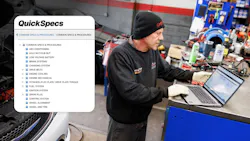
SUN Collision introduced a new QuickSpecs feature in its online repair information to help automotive technicians access common vehicle specifications faster with less scrolling and smarter navigation, according to a news release.
The enhanced QuickSpecs experience in SUN Collision Repair Information improves how Common Specs are displayed in both 1Search Plus and the Common Specs Quick Link menu. This helps users quickly find exact specification information such as wheel torque, engine oil pressure, and belt routing data.
“When technicians need specification information, they need it immediately,” said Chris Bonneau, business manager for SUN Collision. “QuickSpecs helps eliminate unnecessary scrolling and table hunting so users can get directly to the information they need and keep repairs moving. The enhancement is part of SUN Collision’s broader effort to streamline technician workflow and improve efficiency throughout the repair process.”
With deeper integration with 1Search Plus navigation, QuickSpecs now displays only the information directly related to the search entered by the user. For example, if a technician searches for “lug nut torque,” the system immediately surfaces the matching torque specifications instead of requiring users to scroll through large tables or unrelated information.
SUN Collision also redesigned the Common Specs Quick Link experience with a cleaner accordion-style layout that speeds navigation and reduces visual clutter. Instead of searching through one long table, users can jump directly to the section they need, creating a faster and more intuitive experience.
Major QuickSpecs benefits include:
- Faster access to exact specification information
- Cleaner, search-driven results
- Reduced scrolling and navigation
- Improved workflow efficiency
- More intuitive navigation for new and experienced users
- A more consistent Common Specs experience across vehicles